Why it matters
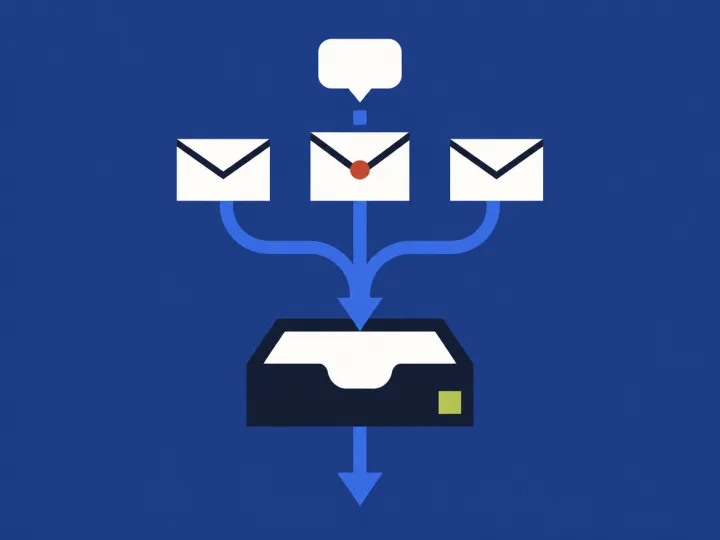
Most small businesses never chose their inboxes. A website form, an info@ address, a Facebook page, Instagram, texts to the owner's cell. Each one got added for a good reason, and customers use all of them. In a 2022 Salesforce survey of 13,020 consumers, people used an average of nine different channels to reach companies.
They expect an answer fast. In a 2020 survey of more than 3,200 consumers, a reply within one hour met the expectations of 88% of them. A form that comes in Friday night and gets read Monday morning has already missed that.
When nobody answers, people go somewhere else. In a 2024 Sprout Social survey of 4,044 consumers, 73% said they'll buy from a competitor if a brand doesn't respond on social. The message that sits unread is often a new customer who picked you first.
Signs you have this problem
- Write down every place a customer can message you: website form, email, Facebook, Instagram, texts, booking app. Put one name next to each. Any place with no name is where messages wait.
- Fill out your own website form from your phone, like a stranger would. Time how long it takes to hear back, and check whether the email landed in spam.
- Send your business a DM on Facebook and Instagram from a personal account. See who notices it, and when.
- Search your email for the address your form sends from, over the last 30 days. Count the ones with no reply from you.
- Open your Facebook and Instagram messages and look at the unread ones. Find the oldest.
- Ask two people on your team whose job the Facebook and Instagram messages are. If you get two answers, or none, nobody owns them.
Four places inquiries slip
The website form
Form emails go to one inbox, or to spam, and wait there.
- Today
- When someone fills out your website form, where does that email go?
- Where it sticks
- Who checks that inbox, and what happens on their day off?
- What it costs
- If one form lead a week heard back too late, what was that job worth?
- If it were solved
- If every form lead reached the right person within minutes, who would that be?
Facebook and Instagram
DMs land on the owner's phone, or in an app nobody opens at work.
- Today
- Who answers your Facebook and Instagram messages today?
- Where it sticks
- What happens to a DM that comes in on a Saturday?
- What it costs
- How many unread messages are sitting there right now?
- If it were solved
- If DMs showed up in the same list as your other leads, who would answer them?
The shared email address
Everyone can see info@, so everyone thinks someone else answered.
- Today
- Who reads the info@ or contact@ email today?
- Where it sticks
- How can you tell when one of those emails has been answered?
- What it costs
- How many of last month's emails there never got a reply?
- If it were solved
- If each email had one name on it, whose name would go on new customer requests?
The handoff
The person who reads the message isn't the person who does the work.
- Today
- When a new request comes in, how does it get to the person who quotes or books it?
- Where it sticks
- Where does it sit while it waits for them?
- What it costs
- How often does a customer call to ask if anyone got their message?
- If it were solved
- If each request showed up with what they need and how soon, who would take it from there?
Simple things to do this week
Give every inbox an owner
Most missed messages sit in an inbox everyone thought someone else was checking.
- List every place a customer can reach you, and write one name and one check time next to each:
Website form: Maria, 9am and 2pm. Facebook and Instagram: Maria, 9am and 2pm. info@ email: Sam, end of day. Texts to the shop cell: whoever has the phone, before they leave. - Tape it by the front desk, or pin it in your team chat.
- List every place a customer can reach you, and write one name and one check time next to each:
Send web form emails to two people
If the form only goes to one inbox, one sick day means nobody sees it.
- In Gmail on a computer, open Settings, then See all settings, then Forwarding and POP/IMAP. Click Add a forwarding address, enter the second person's email, and have them click the link Gmail sends them.
- Leave Disable forwarding selected, so only form emails go to them, not everything.
- Click the Show search options icon in the search box, type the address your form emails come from, and click Create filter. Pick Forward it and choose their address.
Make form emails stand out
A new lead looks like any other email until somebody opens it.
- In Gmail, click the Show search options icon, type the address your form emails come from, and click Create filter.
- Have the filter star it and apply a new label:
New leads - In Outlook, a rule can do the same thing: move form emails into their own folder and flag them.
Answer Facebook and Instagram in one place
Meta Business Suite has one inbox for Messenger, Instagram and WhatsApp, so nobody has to check three apps.
- Connect your business Instagram account to your Facebook page, then answer both from the Meta Business Suite inbox.
- Turn on its instant reply, so a new message gets an answer while you're busy:
Thanks for reaching out. We answer messages by 5pm on weekdays. What do you need help with, and what's the best number to reach you?
Test your own form once a month
Forms stop working quietly. A website update or a full inbox can break them and nobody notices.
- On the first of the month, fill out your form from your phone:
Test from [your name]. Please reply so I know this reached you. - Check that the email arrives within a few minutes, that it isn't in spam, and that someone replies.
- On the first of the month, fill out your form from your phone:
What we set up
The fixes above keep each inbox watched. This puts every form and DM in one place and sends each one to the person who handles it.
One list, not five apps
Web forms and DMs land in one place, so nobody checks inboxes one by one.
Tagged before anyone reads it
Each inquiry is tagged and qualified, so you know which ones are ready to book.
The right person, first time
Each inquiry goes to the person on your team who handles that kind of job.
A name on every inquiry
Nobody has to wonder whose message it is or whether someone answered.